R2Park-Guest Parking Management System
R2Park (also called Register2Park) is a parking registration website and app used by apartments, HOAs, and private lots across the U.S. Guests use it for visitor parking, and residents use it to register their own cars. You go to r2park, find the property, and enter your plate number. The building then has a record of your car. There’s no paper permit and no trip to the office, and it usually takes only a few minutes.
Why do buildings need this? Picture a small lot with only a few guest spots. A visitor takes a neighbor’s space. A friend leaves a car there for three days. Nobody knows whose car it is, so the office has to guess. With R2Park, the property keeps one list of cars that are allowed to park. If your car is on the list, you’re fine. If it isn’t, it can be flagged, and in some places towed.
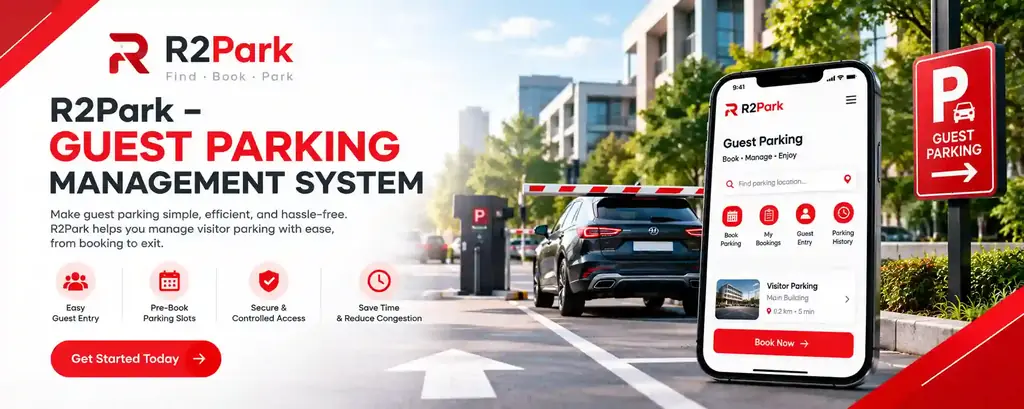
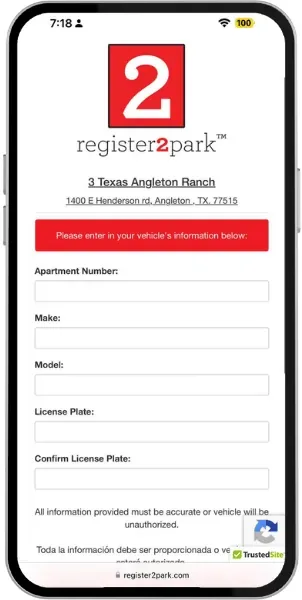
Using R2Park guest parking is simple. Open r2park.com or the Register2Park app, search for the building by name or street address, and choose guest or resident. Then add your plate number, state, make, and color. You’ll get a confirmation by email or text, so keep it. And always register before you park, not after.
This guide covers what people search for most: how to register a guest vehicle, how resident registration and login work, how to use the R2Park app, what “denied parking” means, what to do if your car is towed, and how to reach customer service. If you’re visiting a friend this weekend, a few minutes here can save you a tow fee.
WHAT IS R2PARK?
R2Park, also written as Register2Park, is an online parking management and vehicle registration system. Apartment complexes, HOAs, and private lots use it to keep track of which cars are allowed to park on their property. Instead of handing out paper permits, the property sets up its rules on r2park.com, and residents and visitors register their vehicles there, either on the website or in the app.
Who does what? Residents register their own cars for resident parking and update them when something changes, like a new plate. Visitors do guest parking registration before they park, usually with just a plate number, state, and a few vehicle details. Property managers decide the limits. That might be how many hours a visitor can stay, or how many cars each unit can register. Because everyone uses the same record, there’s less arguing over who was supposed to park where.
For property managers, the real benefit is simple: fewer unauthorized vehicles and cleaner records when a complaint comes in. For residents and guests, it means a quick registration, a confirmation to save, and a login to check or edit it later. One thing worth knowing up front: R2Park keeps the registration records, but it doesn’t tow cars. Towing is done by a separate company working under the property’s rules.
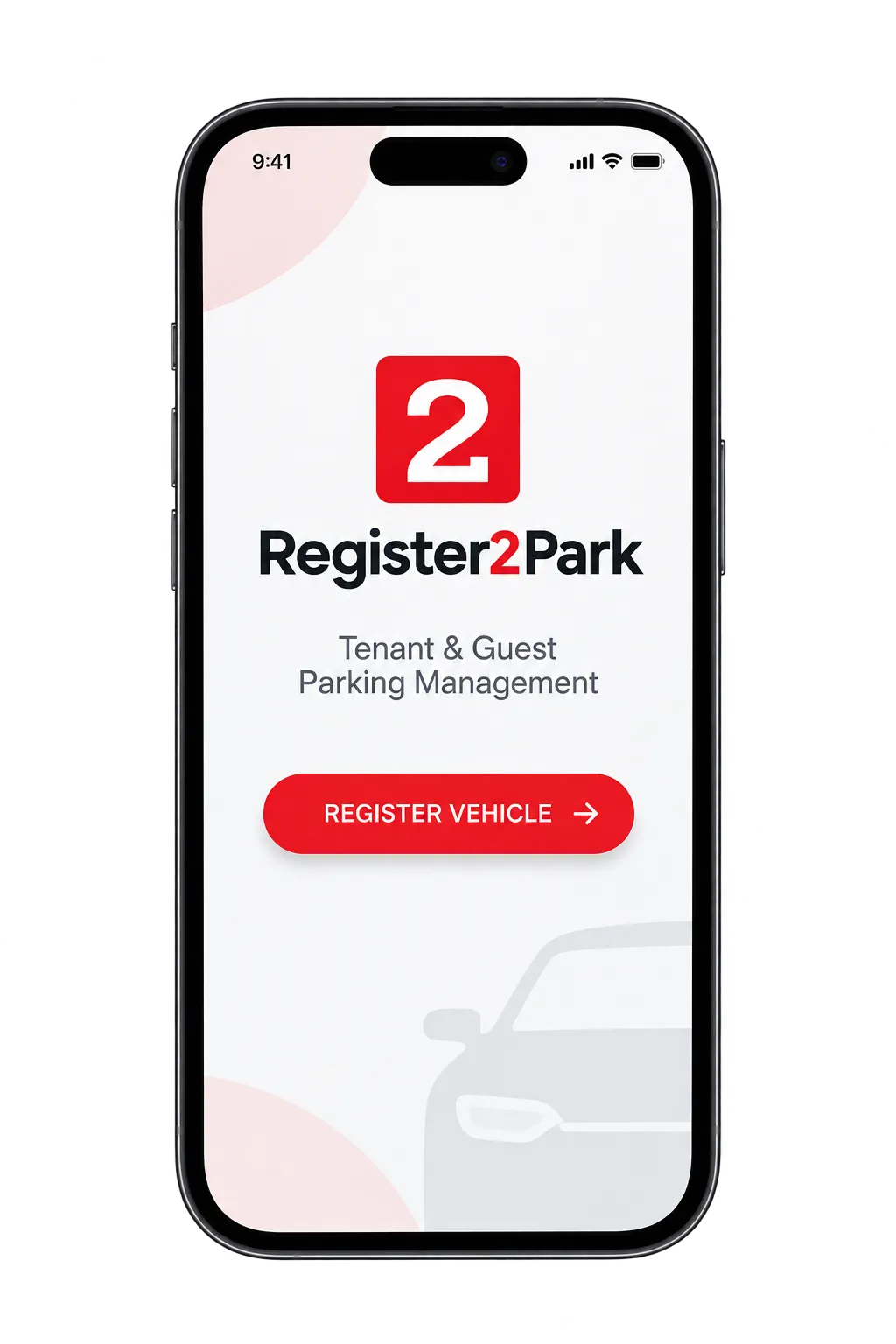
How To Register on R2Park? – A Step-by-Step Guide
Not sure how to register your car? Don’t worry, we’ll walk you through it. This guide covers every step of the R2Park registration process for both guests and residents, so you can get it done quickly and park with confidence.
STEP 1: VISIT REGISTER2PARK OFFICIAL WEBSITE
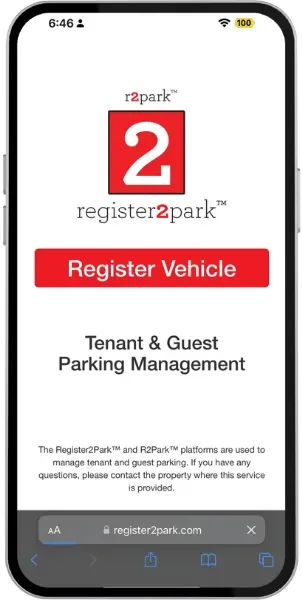
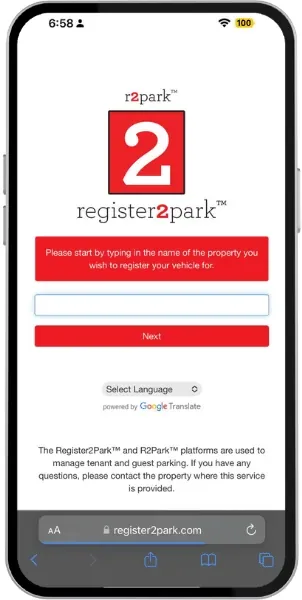
STEP 2: Search for Your Property
STEP 3: CHOOSE YOUR PROPERTY
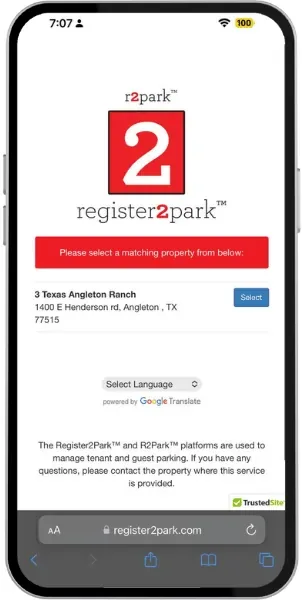
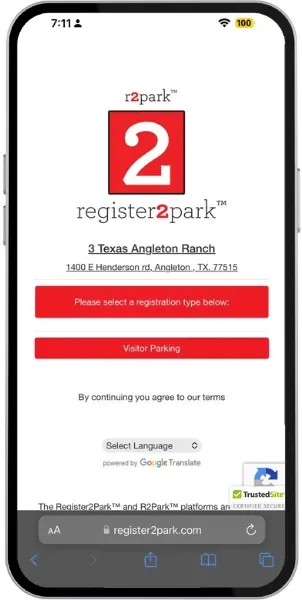
STEP 4: SELECT REGISTRATION TYPE
STEP 5: ENTER VEHICLE DETAILS
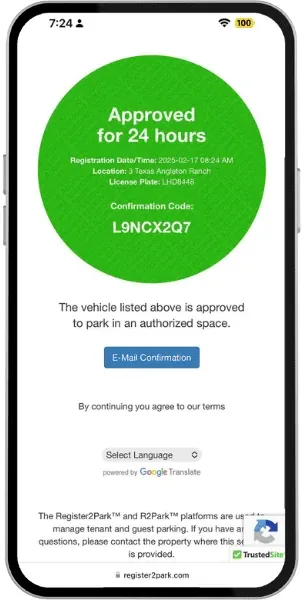
STEP 6: Confirm Your Registration
Need Help? Contact R2Park
In case you find yourself having any problem while registering, there is no need to panic since R2Park has an effective and friendly customer service team that will help you. You can contact their customer support team by calling them on (888) 883-7458. They will help you with everything regarding the registration process.
R2PARK LOGIN – FOR RETURNING USERS
If you have used R2Park before, you don’t need to start over. Just log in, check your permit, look at your past registrations, and add a new vehicle in a few clicks.
Go to register2park.com and click “Login” at the top of the page. You will need the email address or phone number you used when you signed up. The site then sends you a verification code to confirm it is really you. After you are in, you can see your permits, your earlier registrations, and your property details without searching for them again.
Forgot your login details? It happens. Click “Forgot Login” on the website, or call (888) 883-7458 and the support team will help you get back in.
EDITING OR CANCELLING A REGISTRATION
Need to change a guest’s stay dates, switch to a different car, or cancel a parking registration? You can do it online in a few minutes. Log in to your R2Park account, open the registration, and choose “Edit” or “Cancel.” No phone call is needed.
Steps to edit or cancel a registration:
You can use this for guest parking and resident parking. For example, if a visitor decides to stay one more day, just edit the end date instead of making a new registration. If you sold your old car, swap in the new license plate so your parking permit stays correct.
Can’t make the change online? Call R2Park customer support at (888) 883-7458, and the team will help you finish it.
R2Park Mobile Apps – Smart Parking at Your Fingertips
The R2Park mobile app lets residents, guests, and property managers handle parking from their phones. Instead of filling out paperwork or waiting for approval, you can register a vehicle, get a digital parking permit, and check your registration in a few taps. The app is available for both Android and iPhone, so you can use whichever device you have.
R2Park for Android
Android users can download the R2Park app from the Google Play Store. It is made for quick guest parking registration and simple permit management. You can register a visitor’s car in a few seconds, keep track of more than one permit, and search for your property without typing the full address. If you often have guests over, this saves a lot of time.
R2Park App for iPhone and iPad (iOS)
On an iPhone or iPad, download the R2Park app from the App Store. The iOS version covers the same basics: visitor registration, permit updates, and a clear view of your parking status. Everything is set up to feel natural on Apple devices, so it is easy to use even if you have never registered a car online before.
Why Use the R2Park App?
Whichever phone you use, the app gives you access to your parking account at any hour. Residents can add or update a vehicle when something changes. Guests can register before they park. Property managers can see who is registered and keep parking rules in order. In short, it replaces paper permits with a digital record that you can open anytime, anywhere.
Download the R2Park App
R2Park Rules – Resident & Guest Parking Rules
R2Park parking rules exist to keep parking fair and organized for everyone, whether you are a resident or a guest. If you break them, you could face towing, booting, or a denied parking request. Any towing or booting charges go to the vehicle owner, so it is worth reading the rules before you park.
RESIDENT PARKING RULES
GUEST PARKING RULES
Guests and visitors with temporary parking permission must follow all the resident rules above, plus these:
GUEST PARKING BENEFITS
R2Park guest parking makes a visit easier for both the guest and the person they are visiting. Here is what you get when you register a visitor vehicle online:
Tip: always register before you park, and double-check the plate number. Most parking problems come from small typing mistakes.
Key Features of the R2Park Platform
So what can R2Park actually do? Here are the features people use most, whether you’re a resident, a guest, or the one managing the property.
Quick tip: features vary from property to property. If you aren’t sure what your community allows, check the signs in the parking lot or ask the property manager.
How Property Managers and HOAs Can Join R2Park
R2Park isn’t only for residents and guests. Property managers, HOAs, and community boards across the U.S. and Canada can bring their whole property onto the platform too. If you manage a community and want to move away from paper permits, here is how getting started usually works:
Tip for managers: put a QR code and the r2park.com address on every guest parking sign. People register faster when the instructions are right where they park.
DATA PRIVACY & SECURITY
When you register a vehicle, you share a few details: your license plate number, vehicle make and model, and an email address or phone number. Properties generally use this information to confirm registrations and enforce parking rules, and access is meant for the people responsible for that community.
If you want to know exactly how your information is stored and who can see it, ask R2Park customer service or your property manager directly. Two habits also help. Only enter what the form asks for, and always register through the official site or the official app, not through a look-alike page.
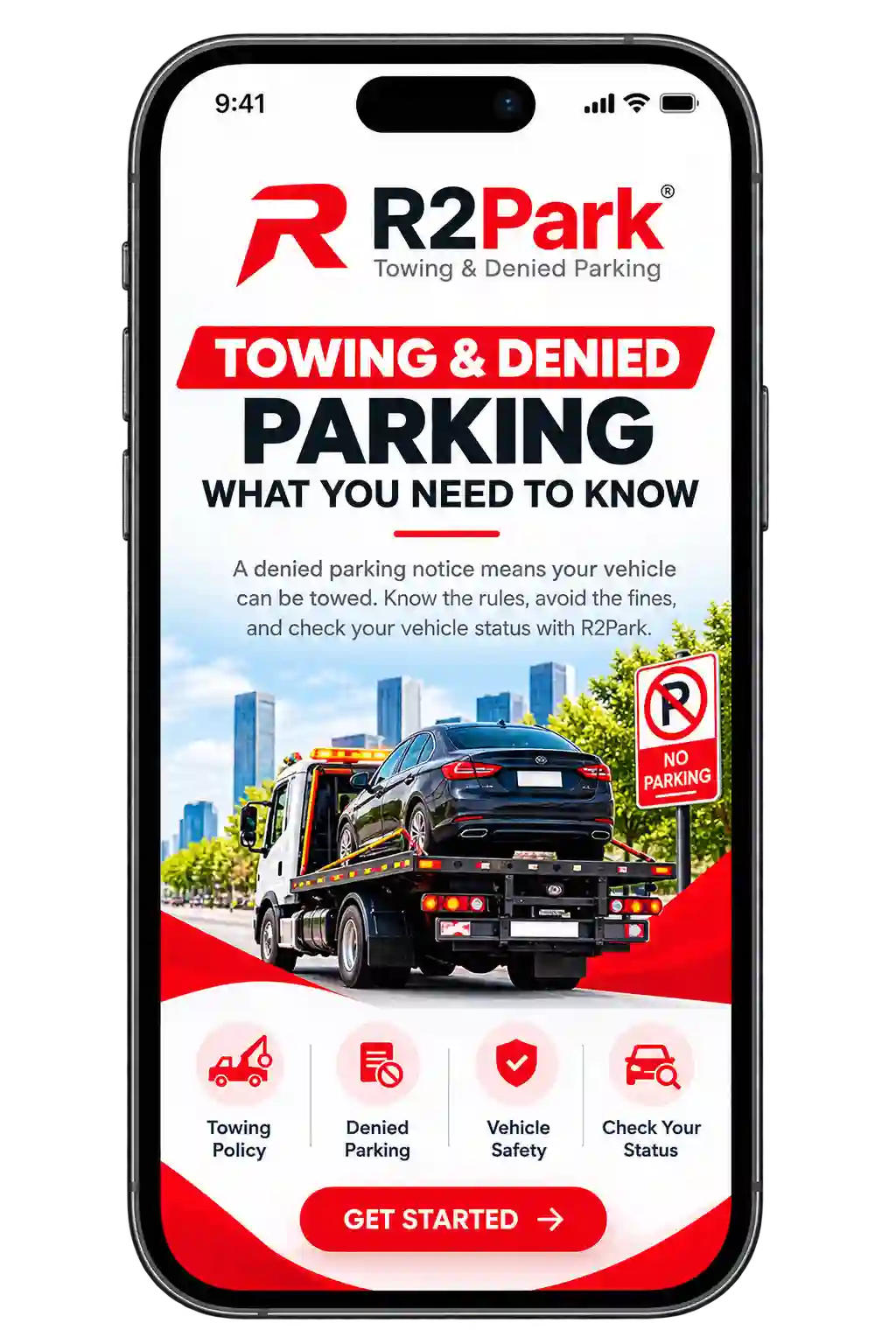
R2PARK TOWING & DENIED PARKING: WHAT YOU NEED TO KNOW
R2Park denied parking means the system can’t match your vehicle to a valid, current registration at that property. If a car breaks the rules, the result can be a denied parking status, a warning, booting, or towing, depending on the property’s policy. Searching “why is R2Park denying my car”? It’s usually a small mistake you can fix.
Common reasons it happens:
If a car is booted or towed, the owner usually pays the fees, so register before you park and check your plate number twice.
Who do you call? For registration problems or a denied parking status, contact R2Park customer service at (888) 883-7458. If your car was already towed, call the tow company on the property’s signs or the towing team at (905) 873-7100 Ext 304. R2Park keeps the registration records, but the tow itself is handled by the towing company. Take photos of the signs, your car, and your confirmation before you call.
In the U.S. or Canada? Tow fees and your right to dispute a charge depend on your state or province, so check your local rules.
Why Choose R2Park for Parking Management?
If your community still runs on paper permits, R2Park (Register2Park) gives you a simpler way to manage guest parking and resident parking in one place. Here is why many properties pick it:

Tip: features can vary by property, so ask your manager or R2Park customer service what is active in your community.
R2park Customer service
Need help with R2Park registration, login, or a denied parking status? You can reach R2Park customer service by phone or email.
By phone: Call the R2Park customer service telephone number at (888) 883-7458. Support is available Monday through Friday, 9:00 am to 5:00 pm, so call during those hours for the fastest answer.
By email: Write to [email protected]. Include your mobile number, the property name and address, your license plate number, and a short description of the problem. A screenshot of the error or your confirmation also helps.
Before you reach out, have your registration confirmation ready. If your car was towed, call the tow company listed on the property’s signs, because R2Park keeps the registration records but does not do the towing.
R2Park (FAQ’s)
CONCLUSION
At the end of the day, parking shouldn’t be the most stressful part of anyone’s day — but for a lot of communities, it still is. That’s the gap R2Park fills. Registration takes minutes, permits are handled automatically, and both residents and guests get a system that actually makes sense to use, instead of one more thing to fight with.
Is it perfect for every property? Probably not every single one has identical needs — but between the security measures, the flexible rules, and a setup that just works from a phone or a laptop, most communities find it takes the guesswork out of parking almost entirely.
Ready to get started? Head to register2park.com, hit “Register Vehicle,” and follow the steps. Takes less time than finding a parking spot usually does.